01
One click to connect
Saved targets share credentials. Start shell or files — they use the same auth.
- SSH for terminal work
- SFTP for file-only tasks
- Switch without losing context
VibeShell replaces juggling four apps with one workspace: SSH sessions, remote files, and a local-first AI assistant — all in one calm surface.
A real remote workflow shouldn't require a terminal app, an SFTP client, a browser, and a separate AI chat. But here we are.
Jump between iTerm, VS Code, file transfer client, and ChatGPT. Every switch breaks your flow.
Keys in three different places, configs spread across tools, and no single source of truth.
You copy terminal output into a separate chat, wait for a response, then manually apply the fix.
Upload, download, navigate paths, search for files — all separate steps in separate windows.
SSH for terminals, SFTP for files, and an AI assistant that actually understands what you're working on.
Multi-session terminals with split panes, streaming I/O, keyboard-interactive fallback, clipboard support, and real-time output rendering.
Search, sort, right-click actions, path jumping, inline editing, uploads, and recursive delete. Navigate remote files like local ones.
Local-first Ollama support with context-aware answers. AI reads your terminal output, understands file context, and offers real suggestions.
Remember sessions, restore workspace state, and keep remote file context across runs. Secure credential storage and host trust management.
The workspace is built for real work — not dashboard theater. Here is what your daily ops looks like.
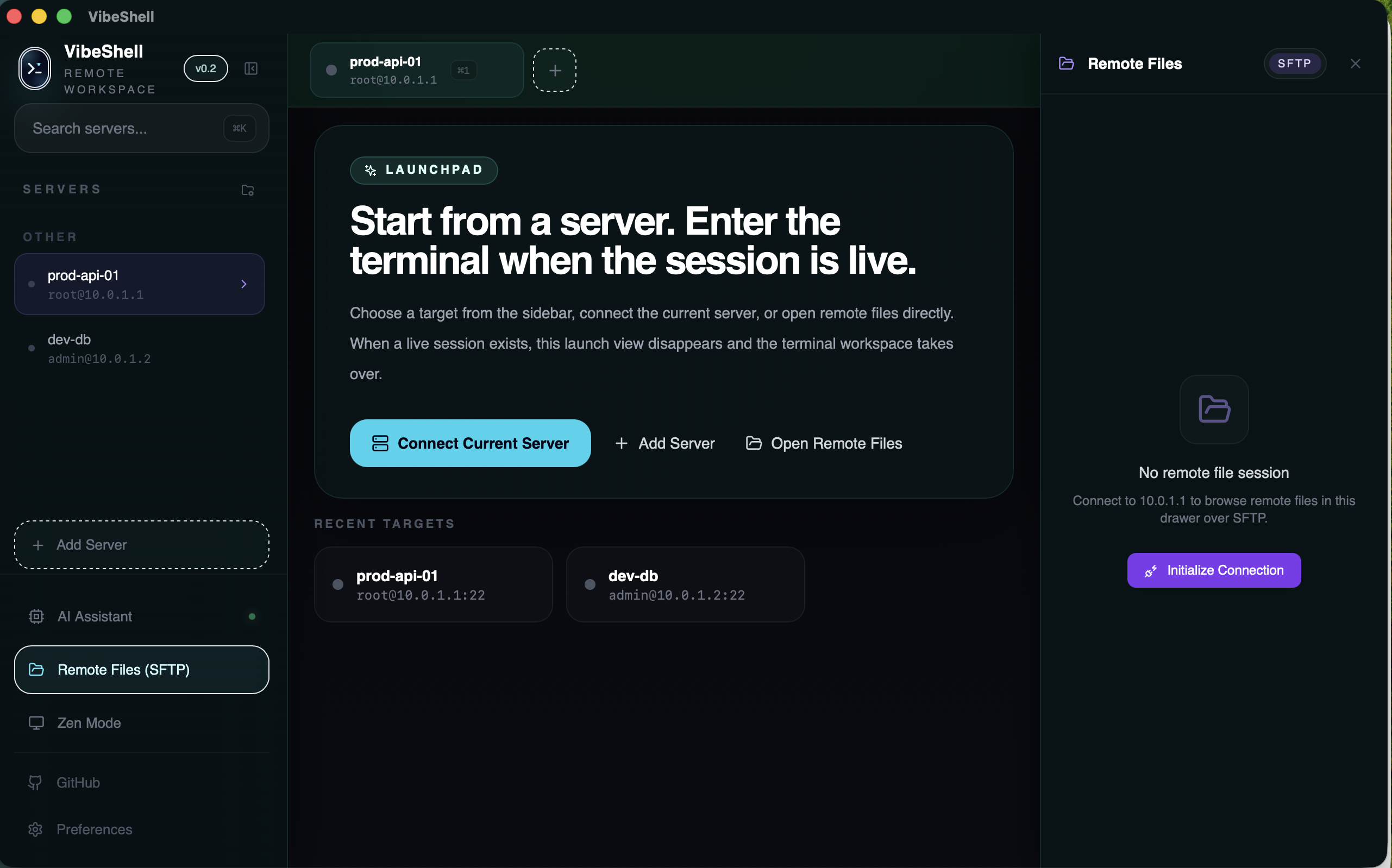
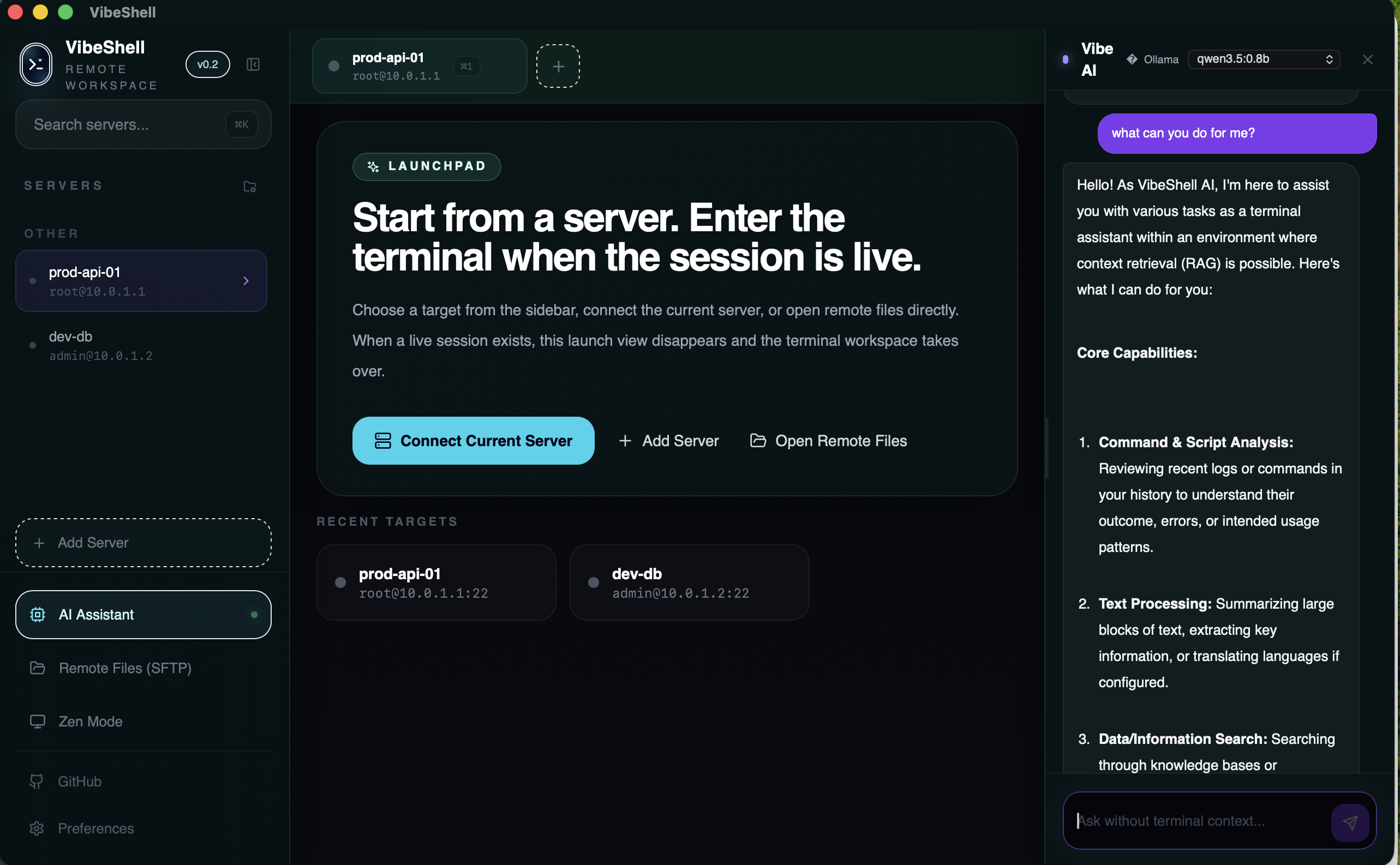
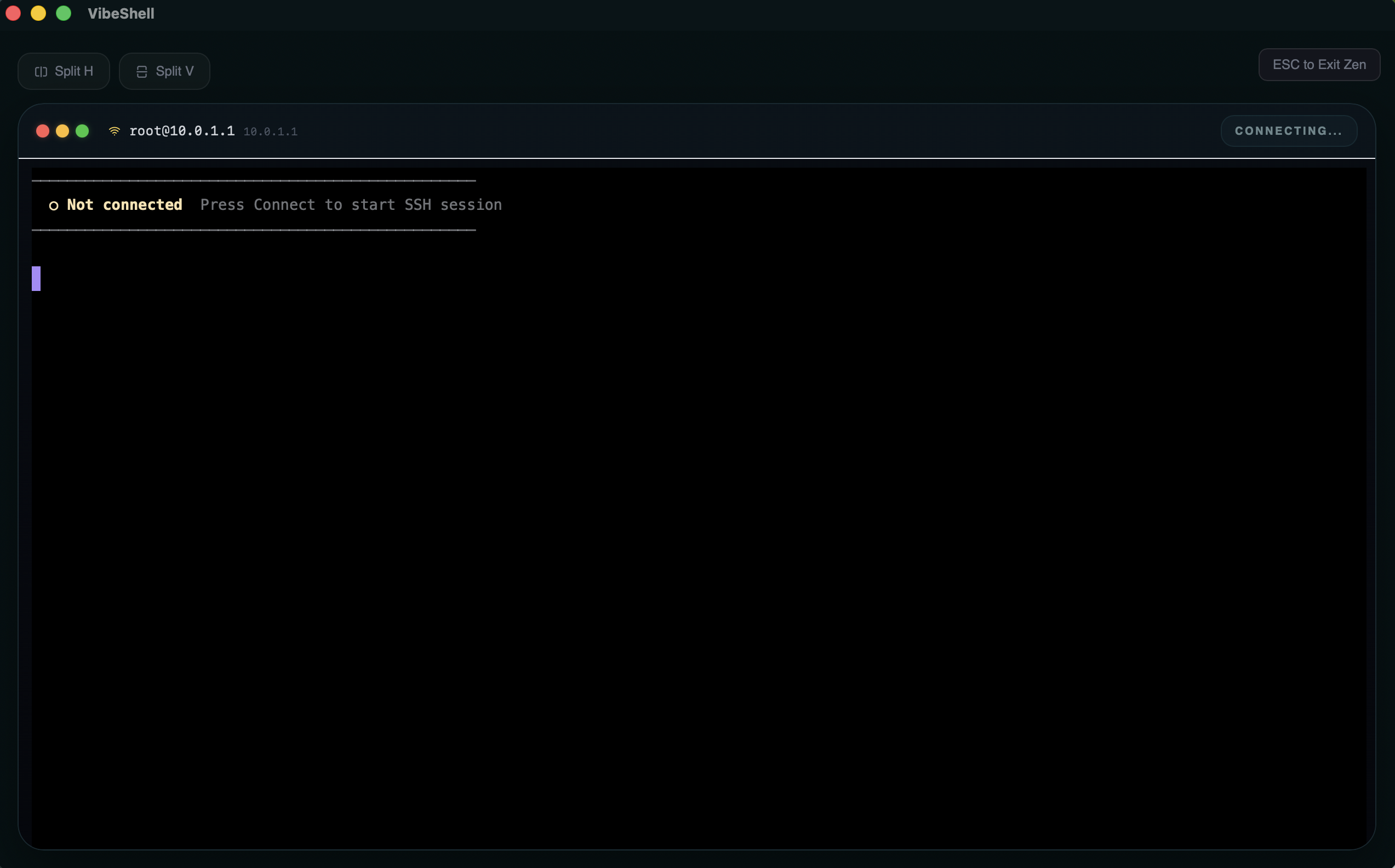
Three steps, no app switching, no lost context.
Saved targets share credentials. Start shell or files — they use the same auth.
Dark, quiet, layout-driven. Collapsible nav, Zen mode, resizable panels.
AI reads terminal output and file context. Local-first with Ollama.
v1.0.0 ships with 79 passing tests, a healthy build pipeline, and real polish work that goes beyond a prototype.
VibeShell is past prototype stage. The build is healthy, the architecture is clear, and the core user-facing surfaces are polished for real daily use.
Open source, desktop-native, and designed for people who do real remote work. If AI should be part of your shell, not a separate browser tab — this is it.